
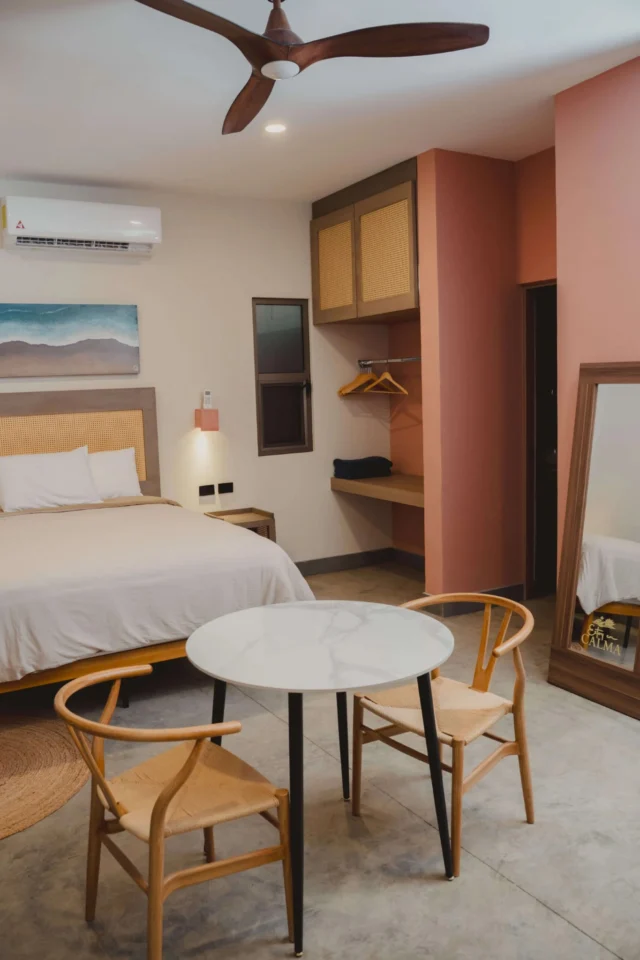
Looking for a hotel with a Smart TV in Celestino Gasca may seem like a minor detail until a rainy afternoon arrives, you are traveling with children, or you want to end the day watching a series. The “Smart TV” label confirms that the television has connected features, but it does not mean that all streaming platforms are included or that you can use any app without signing in.
The Confort and Deluxe rooms at Hotel Calma Celestí feature Smart TV and WiFi connectivity as part of their amenities.[1][2] Before booking, it is advisable to clarify three questions: what TV model is provided, which applications are available, and who covers the account for viewing content.
Hotel with Smart TV in Celestino Gasca: what is confirmed
Calma Celestí has two room categories. The official Confort and Deluxe listings include a Smart TV, climate control, and WiFi connection.[1][2] This information confirms that the equipment is part of both categories. It does not confirm a brand, screen size, included streaming service, specific channels, or compatibility with your phone.
Accommodation listings for Celestino Gasca typically summarize television and internet as amenities, but leave unanswered how the apps are used or if a personal account is required.[3] If a platform is important for your stay, ask about it before paying. A written response prevents arriving with an expectation that the room listing never promised.
| Note | Status | What to Ask |
|---|---|---|
| Smart TV | Confirmed in Confort and Deluxe | Brand, size, or ports, only if they are decisive for you |
| WiFi | Published in both rooms | Expected performance for the use you plan |
| Streaming apps | Should not be assumed to be included | Which applications are installed and whether they require a personal account |
| TV channels | Not specified in the details | Which signals or channels are available during your dates |
| Connection from the cell phone | Not confirmed | If the equipment accepts streaming or compatible cable |
Smart TV does not mean a subscription is included
An installed app and an active subscription are two different things. Netflix, YouTube, or another service may appear in the menu, but require a personal account. It is also not advisable to assume that a session left by another person is available for the next guest.
If you want to watch a specific platform, bring your login credentials on your own device and do not share them via messaging. Avoid typing passwords in chats with reception. Staff can help you locate the app or remote, but your account remains personal.
How to use your account without leaving it open
The easiest point to forget occurs when leaving. Netflix explains that an account used on a hotel TV can be signed out from the app and also offers remote device management.[4] The exact path varies depending on the app and TV model, so it is not advisable to rely on a single menu.
- Open the app and confirm you are on your own profile.
- Avoid saving payment methods or passwords on the TV.
- At the end of your stay, go to settings and log out.
- Check the list of connected devices from your phone, when the platform allows it.
- If you forgot to log out, use the service's remote function or change your password when no other secure option exists.
Taking a photo of the screen while your account is signed in does not solve anything and may expose information. It is better to add one simple task to your checkout list: “sign out of TV accounts.”
When it's worth asking before booking
Not all stays require the same verification. If you'll spend most of the day at the beach and only use the room to sleep, it's enough to know there's a Smart TV. If you'll be working, traveling with minors, or relying on a specific platform for a particular broadcast, ask beforehand.
- For a family, confirm available apps and controls without promising children's content.
- For work, prioritize the WiFi connection and bring a mobile data backup; the television does not replace a video conferencing tool.
- For a sporting event or premiere, ask about the exact signal and app. Knowing the screen is smart is not enough.
- For a two-night stay, bring your own cable or adapter only if the hotel confirms that the equipment accepts that connection.
Choose a room based on capacity, not the television.
Confort and Deluxe rooms both feature Smart TVs, so the choice between them should be based on occupancy and layout. The Confort Room has a base capacity for two people and a maximum of four. The Deluxe Room starts at four and goes up to six. Children count toward the physical limit, though they do not add a charge to the base rate.
Send dates, number of adults, number of children, and number of rooms in the same inquiry. Then add the question about the Smart TV, which is what truly changes your decision. This way, reception can resolve your entire stay, not just an amenity.
Check availability and amenities
Inquire about WhatsApp for the room and the Smart TV
You can also check rooms on the official engine. Availability and any specific equipment features must be confirmed for your dates.
Sources consulted
- [1] Confort Room at Hotel Calma Celestí.
- [2] Deluxe Room at Hotel Calma Celestí.
- [3] Booking: accommodations at Celestino Gasca, accessed on 8 of October 2026.
- [4] Netflix Help Center: logging in and out on hotel TV.
Recommended reading
- Hotel with WiFi in Celestino Gasca: what to check if you're going to work
- How to choose between Confort Room and Deluxe Room
- Air-conditioned hotel in Celestino Gasca
- Rooms at Hotel Calma Celestí
Frequently asked questions
Do the rooms at Calma Celestí have Smart TVs?
Yes. The official pages for Confort and Deluxe rooms list Smart TV among their amenities.
Is Netflix included with the room?
Do not assume. Confirm which apps are available and whether you need to use your own account.
Can I stream content from my phone?
Compatibility is not published. Ask about the required model or feature before your stay and bring a backup if that usage is important.
What should I do with my account when checking out?
Sign out of every app you used and check the connected devices from your account when the service offers that option.